To use the scanning feature, press , , , , , or on the display screen.
If a different screen is displayed, press ( ) to
go to the home display screen.
) to
go to the home display screen.
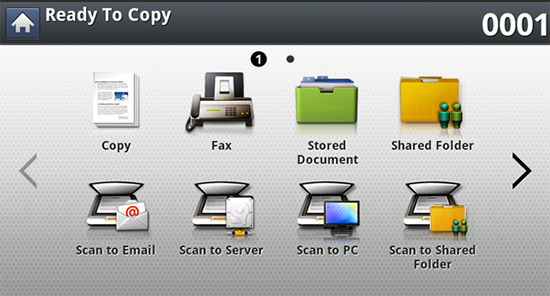
-
: Scans and sends scanned output to the destination by e-mail (see Scanning and sending through email).
-
: Scans and sends scanned output to the destination with SMB or FTP (see Scanning and sending via SMB/FTP).
-
: Scans and sends scanned output to a computer (see Scanning and sending to your computer).
-
: Scans and stores scanned output in the shared folder (see Scanning and sending to USB /shared folder).
-
: Scans and stores scanned output onto a USB memory device (see Scanning to a USB memory device).
![[Note]](../../common/icon_note.png)
If you want to use this feature, you need to insert a USB memory device into the USB memory port on your machine.
-
: In order to use this menu, Samsung Cloud Prnter should be registered. For more information, contact your local Samsung dealer or the retailer where you purchased your machine (see Scanning and sending to ).